Selected work

Case studies

One flagship business platform and two volunteer builds, each starting with a real workflow problem rather than a technology idea, and each carried from observation through requirements, design, implementation, testing, and adoption.

Flagship professional work

Team JL Real Estate Platform

Real estate search, data, and decision-support platform

Role: Product Owner

Live at TeamJLHomes.com
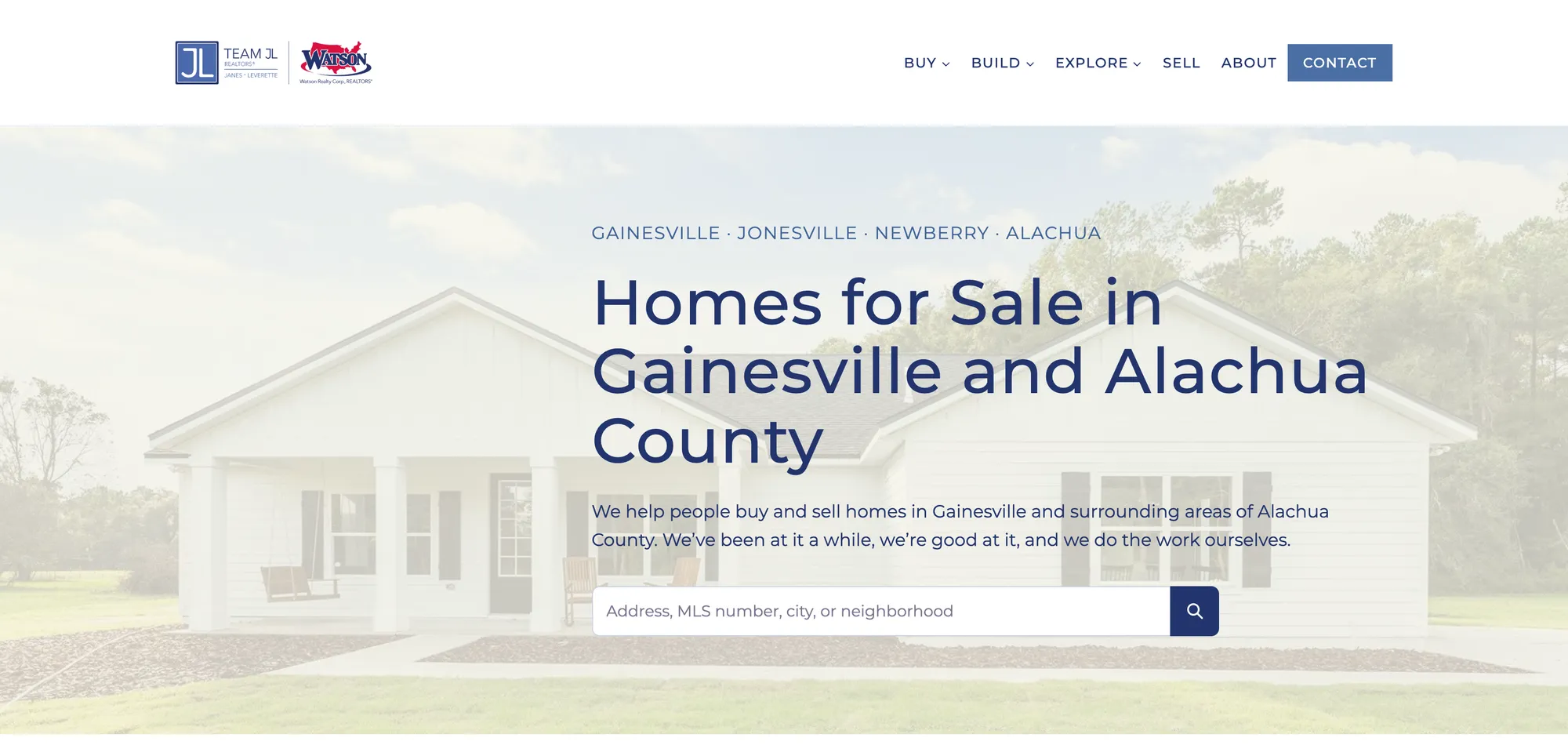
TeamJLHomes.com home page: Homes for Sale in Gainesville and Alachua County, with a property search box
TeamJLHomes.com

The problem

Traditional real estate websites surface listings but often do a poor job answering the real questions buyers, sellers, builders, and agents have. What does a budget actually buy here? What is changing in this neighborhood? Is the land buildable, and are utilities available? When does renting make more sense?

Team JL is a Gainesville-area real estate team with a longstanding residential-builder relationship. Those questions were being answered one conversation at a time, and the website was not carrying any of that load.

What I built

A custom local real estate platform that combines property discovery with decision-support information and tools specific to the Gainesville area. Each piece answers a question people actually ask, and the pieces share one underlying set of data and content.

Property search
MLS-connected search with new-listing and price-drop views and dedicated area pages for Gainesville, Alachua, Newberry, and Jonesville.
Neighborhood and community pages
300+ neighborhood pages plus deeper community guides, including HOA FAQs for the builder communities Team JL serves.
New construction
Custom-build inventory, lot and land listings, utility availability for county land, and selections and specifications resources.
Seller and buyer tools
Seller guidance, buyer representation explainers, "what your budget buys," and "when to rent" decision content.
Market and local data
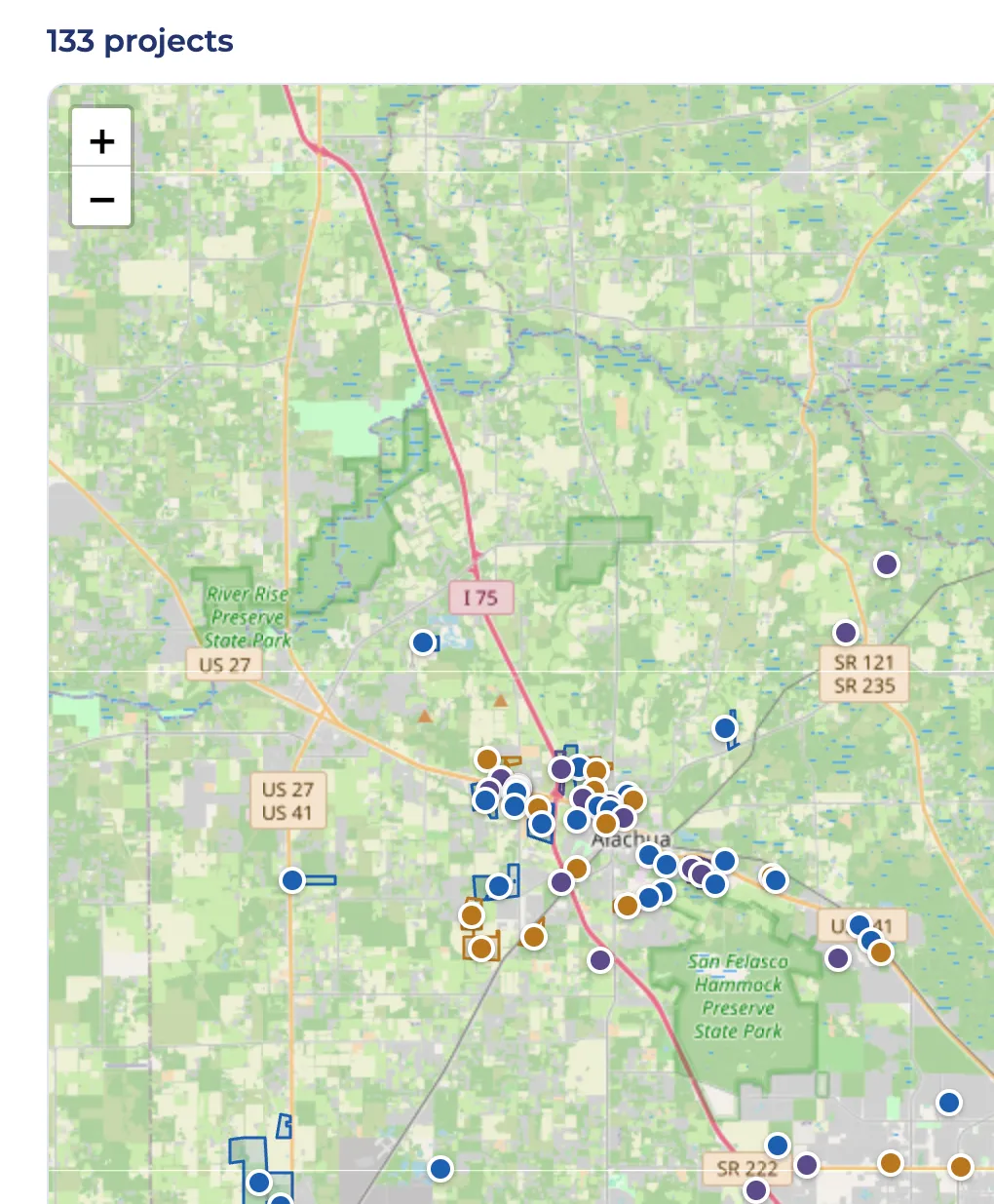
Local, MLS, and public-data connections feeding market information and a "what’s changing" view of the area.
Operational and measurement layer
Internal tools, compliance-aware content handling, analytics, Search Console, and SEO work that keep the platform maintainable.

My role

I own the product from problem definition through implementation and ongoing improvement: identifying business and user needs, defining requirements, making workflow and data decisions, shaping the UX and information architecture, coordinating content and compliance, and testing the result against the original problem. When software is the answer, I use AI-assisted development tools to translate those requirements into working functionality.

  • Business and user problem definition
  • Requirements
  • Product and workflow decisions
  • UX and information architecture
  • Content
  • Data strategy
  • AI-assisted development
  • Testing and QA
  • Compliance coordination
  • Analytics, Search Console, and SEO
  • Ongoing product ownership

What this demonstrates

Product ownership, requirements definition, systems and data thinking, QA, prioritization, UX, AI-assisted development, and the ability to translate between business problems and technical implementation.

  • Product ownership: one person has carried this platform from problem definition through live operation, including the parts that do not show up in a demo: QA, compliance coordination, analytics, and deciding what gets built next.
  • Systems and data thinking: 2,000+ listing and neighborhood pages are generated from shared data sources, so decisions about how data is structured matter more than decisions about any single page.
  • Translation: agents and the builder describe problems in their own terms. I turn those into requirements a build can execute, then verify the result against the original problem rather than the ticket.
  • Prioritization: a growing list of possible features and a small team means choosing what moves the business, not what is easiest to build.

How this evolved

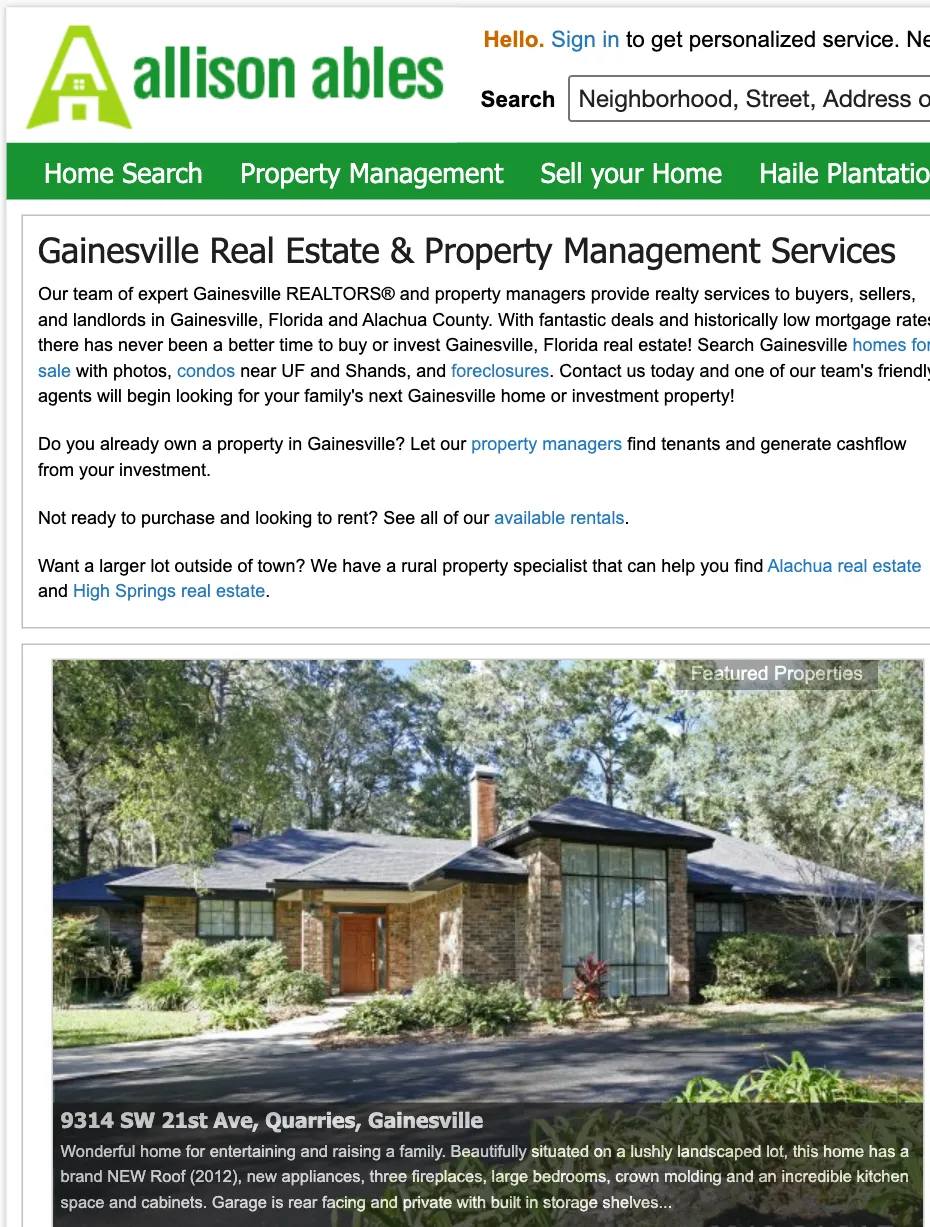
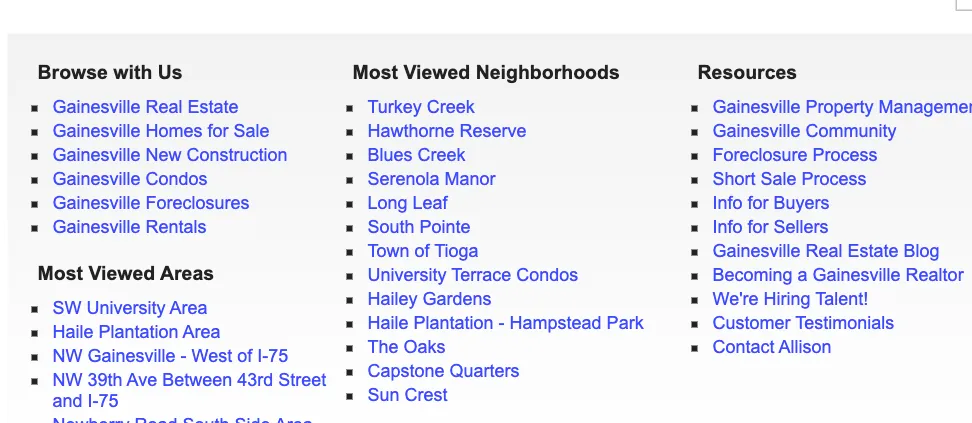
TeamJLHomes.com did not begin with AI. Years earlier, I built and maintained AllisonAbles.com around the same basic instinct: answer the local questions people actually have, organize information clearly, and make the website useful rather than simply promotional. Archived versions from 2010 onward show the county organized into area pages, each with its own neighborhood index, alongside buyer, seller, and property-management resources.

The tools have changed. The underlying work has not.
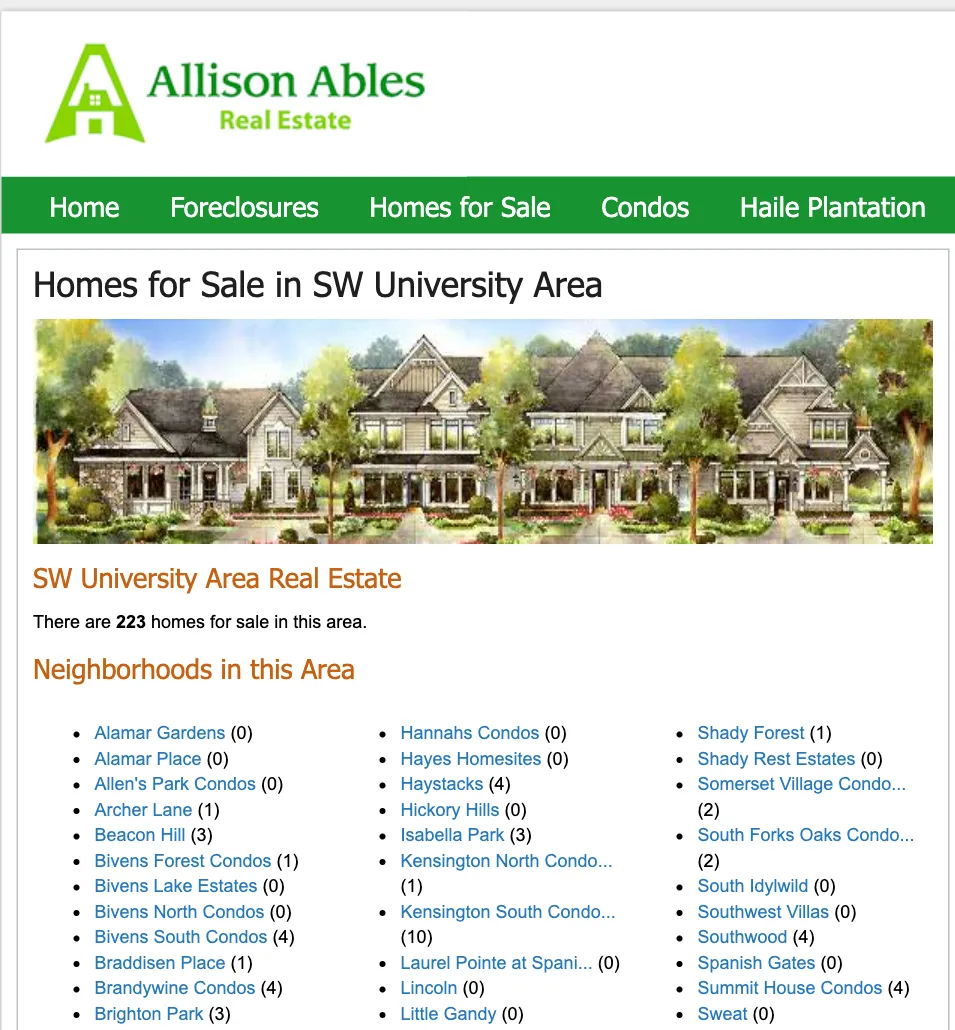
Archived AllisonAbles.com area page from 2010: Homes for Sale in SW University Area, with a count of homes and an index of neighborhoods in the area
AllisonAbles.com · archived site · area page, 2010
Archived AllisonAbles.com home page from 2013 with property search, property management, and local real estate guidance
AllisonAbles.com · archived site · home page, 2013
Archived AllisonAbles.com site index from 2013: browse by area, most viewed neighborhoods, and buyer and seller resources
AllisonAbles.com · archived site · site index, 2013
TeamJLHomes.com What’s Changing map: development projects across Alachua County plotted on a map with filters by area, type, and date
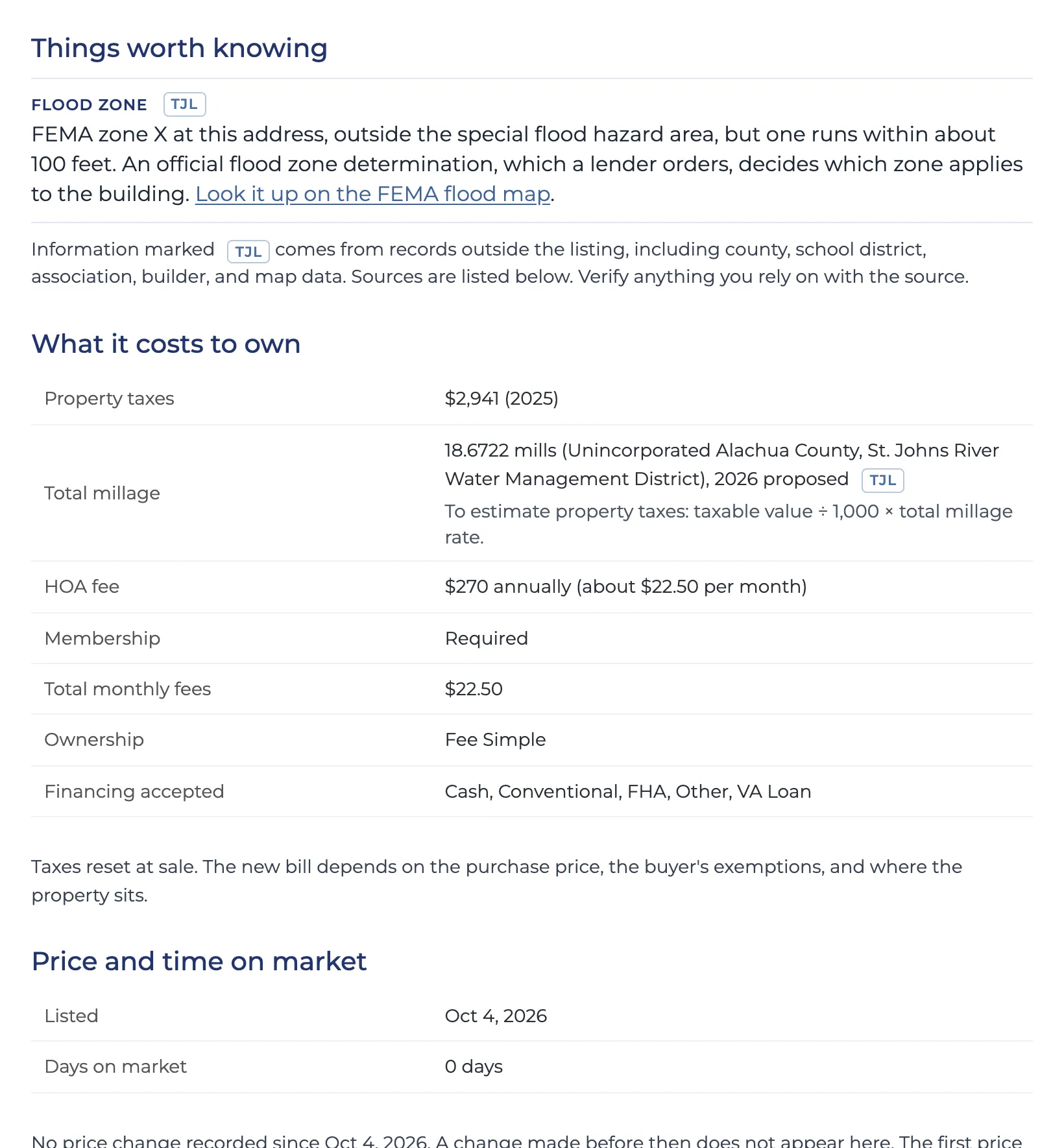
A TeamJLHomes.com listing page section titled Things worth knowing, with flood-zone context and what it costs to own, including taxes, millage, and HOA fees
Generated pages
2,000+ data-driven listing and neighborhood pages
Data connections
Dozens of sources, including the MLS, Alachua County Property Appraiser and tax records, FEMA flood maps, school district data, HOA and builder information, and development filings from Alachua County Growth Management and the cities of Gainesville, Newberry, and Alachua
Status
Live and in active use by the team

Selected volunteer builds

Built for organizations I belong to or support. Each puts the same problem-solving approach to work with very different users, constraints, and environments.

Volunteer build · Closed-group

The CCC MomCo App

Community information and event platform for one local chapter

Role: Volunteer Product Builder & Table Leader

Access is limited through role-specific, unlisted links. The demo and walkthroughs below use fictional or sanitized examples rather than real member information.

The problem

In a volunteer-run group, important events, reminders, sign-ups, resources, and group information can become scattered across messages and difficult for members and volunteer leaders to keep track of. Leaders end up re-answering the same questions, and members miss things that were announced somewhere.

I am in my fourth year as a member of CCC MomCo and am serving as a Table Leader this year, so I knew the problem from both sides: the member who missed a detail and the leader who sent it three times.

What I built

A mobile-first community information and event platform built for one local chapter of approximately 55 members. It centralizes events, reminders, sign-ups, resources, and group information, and it supports different experiences and administrative workflows for members, table leaders and mentor moms, and coordinators.

Because most of the people using it are volunteers with limited time to learn another tool, I created separate interactive onboarding experiences for each user group covering product use, mobile access, leadership workflows, and administration. Adoption was a design requirement, not an afterthought.

Member experience
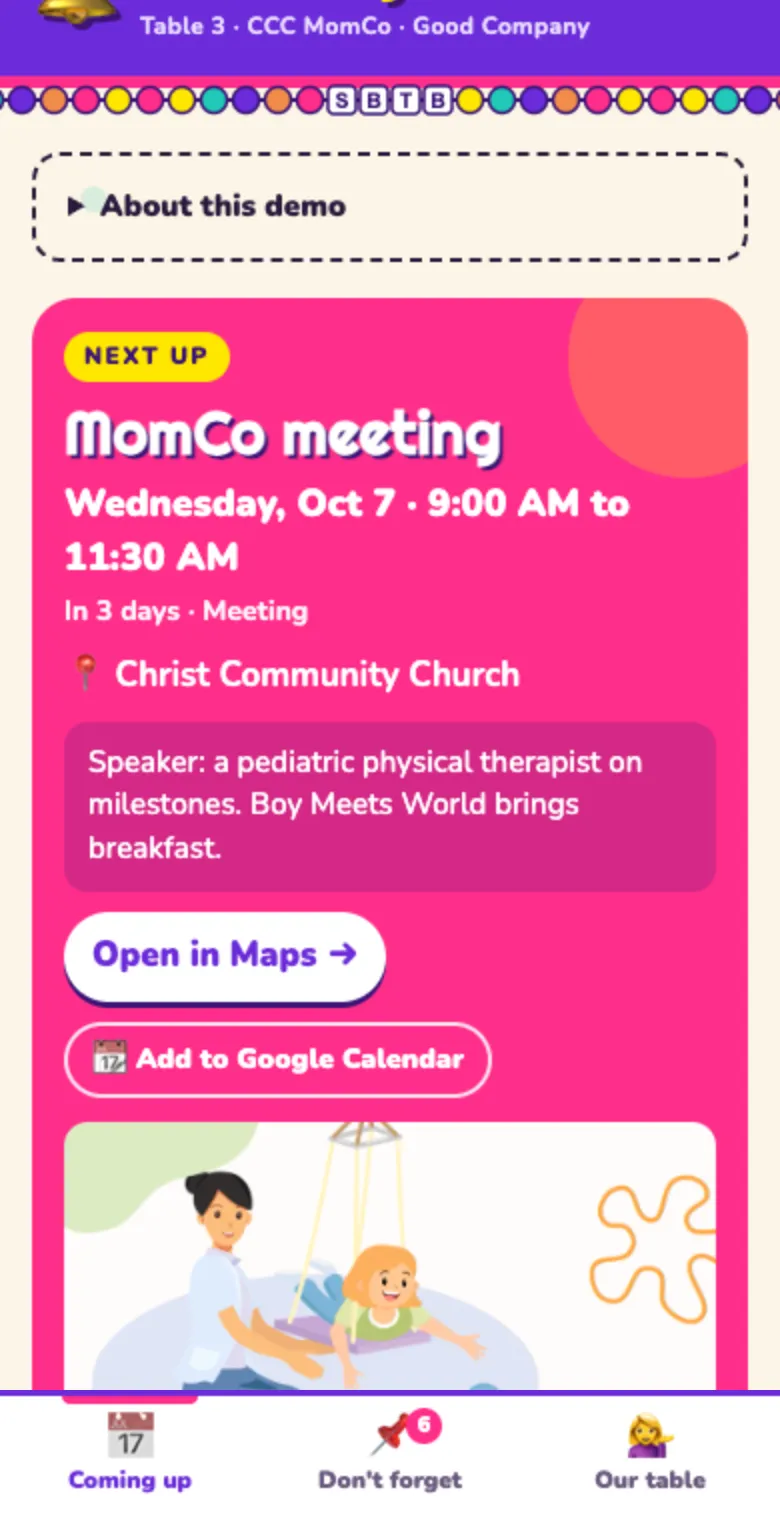
Saved to the phone home screen like an app. Three tabs: upcoming events with flyers, map links, and add-to-calendar; pinned reminders with links; and the table directory.
Leader experience
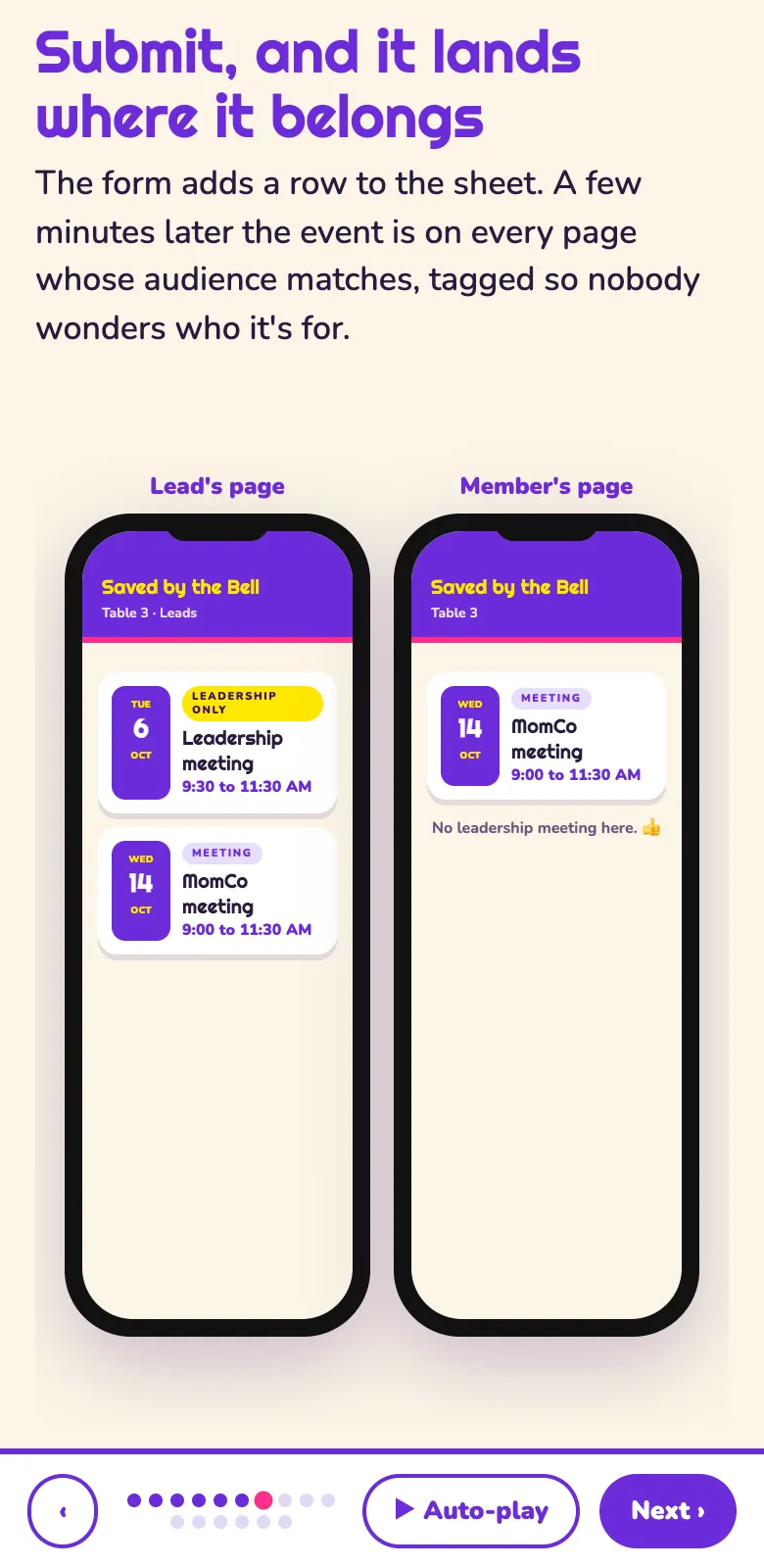
Table leaders and mentor moms update events and reminders from their phones through a shared Google Sheet and a Google Form. Changes appear within minutes without touching code.
Coordinator workflows
One shared calendar feeds five table pages, each with its own colors, icon, reminders, and roster, plus a leadership view for the people who run the chapter.
Role-specific onboarding
Interactive walkthroughs for each role, so people can start without a training session.

My role

Workflow design, information architecture, role-based UX, onboarding design, documentation, AI-assisted development, and the volunteer adoption work that follows a launch. I built it as a member of the organization, not as an outside vendor, and I maintain it alongside the leaders who use it.

What this demonstrates

User-centered design, role-based workflows, onboarding, implementation, documentation, change management, and designing systems nontechnical users can maintain.

  • Role-based workflows: members, leaders, and coordinators need different things from the same information, which forced explicit decisions about who sees what, and why.
  • Onboarding and change management: volunteers rarely have time for training. Adoption depended on walkthroughs each role could complete alone, and on introducing the tool without disrupting how the group already ran.
  • Maintainability: chapter leadership rotates, so administration had to be learnable by the next volunteer, not dependent on me.
  • Implementation from the inside: building for a group I belong to meant living with the result and hearing directly when something did not work.
Demo of the MomCo table app on a phone showing the next event with map and calendar buttons
Walkthrough slide comparing a table leader’s page, which shows a leadership meeting, with a member’s page, which does not
Serves
One local CCC MomCo chapter, roughly 55 members
User groups
Members, table leaders and mentor moms, coordinators
Onboarding
Separate interactive walkthroughs per role

Volunteer build · Live

Santa Fe Weight Room Coach

Real-time coaching workflow assistant

Role: Volunteer Product Builder

In daily use. Demo: Santa Fe S&C (demo copy)

“Automate the clock so the coach can coach.”

The problem

During weight-room training, one coach supervises multiple groups of athletes while simultaneously tracking time, rotations, exercises, repetitions, and whistle cues. Every one of those is a small operational task, and together they fill the whole session.

Those repetitive demands compete with the work that actually requires a coach: encouragement, form, technique, and safety. A coach watching a stopwatch is not watching a lift.

Before and after

Before

  • Coach watches the clock and counts down each work and rest period by hand.
  • Coach calls out the next station and movement, then repeats it for groups that missed it.
  • Coach blows the whistle for every transition, on time, while also supervising.
  • Attention splits between the stopwatch and the athletes.

After

  • The app runs the timing for every work and rest period.
  • A large display shows the current movement and station for every group at once.
  • Visual and audio cues signal transitions, and the whistle sounds automatically at the right moment.
  • The coach watches form, corrects technique, encourages athletes, and keeps the room safe.

What I built

A visual and audio coaching assistant built to support a high school coach. It displays the current movement and station information, provides visual cues, manages workout timing, handles work and rest transitions, provides audio cues, and blows the whistle automatically at the appropriate time.

It is now used daily across five classes as well as the football and weightlifting programs.

How it works

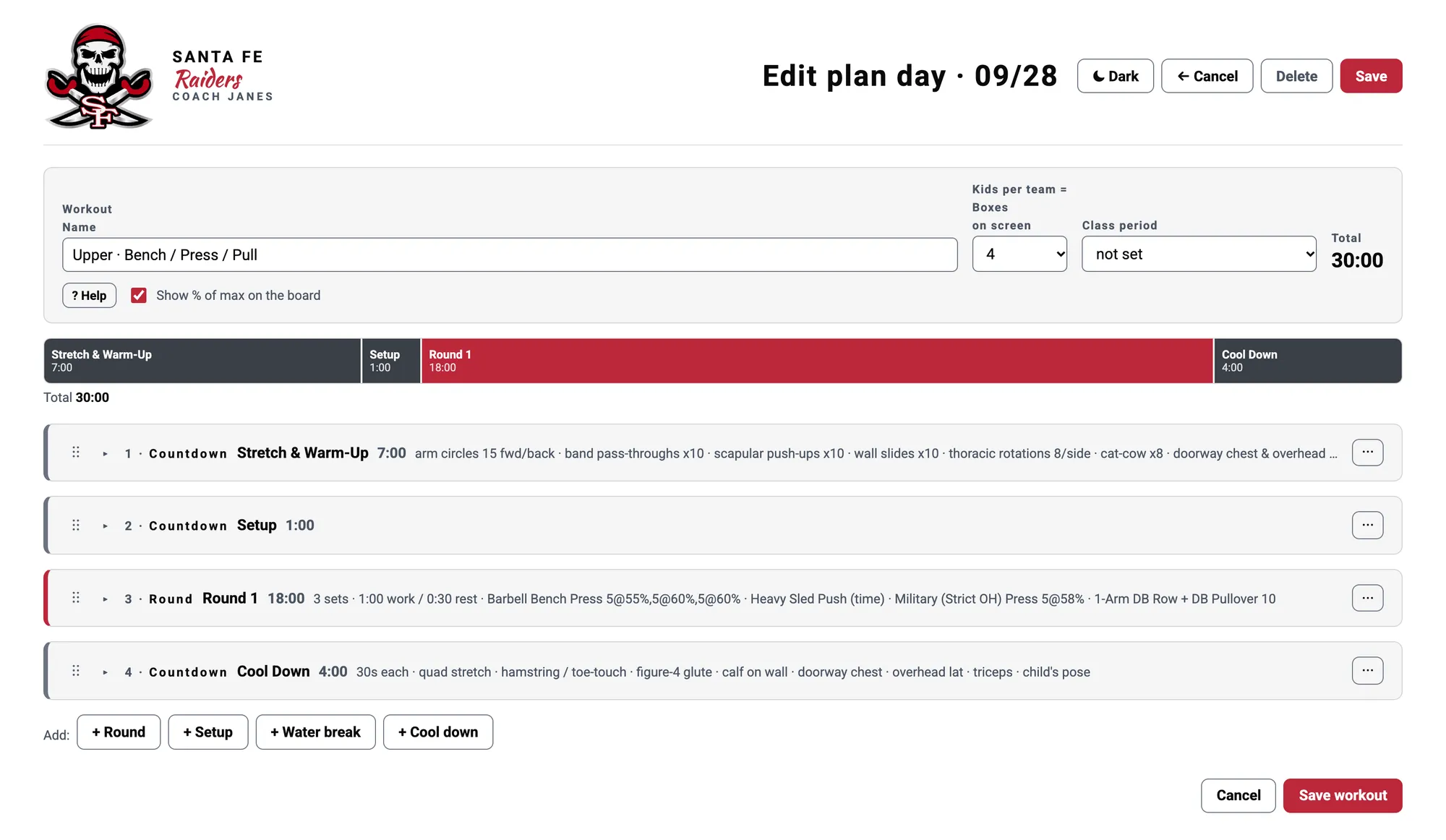
  1. The coach selects a workout. Each workout is a sequence of stations with set work and rest periods.
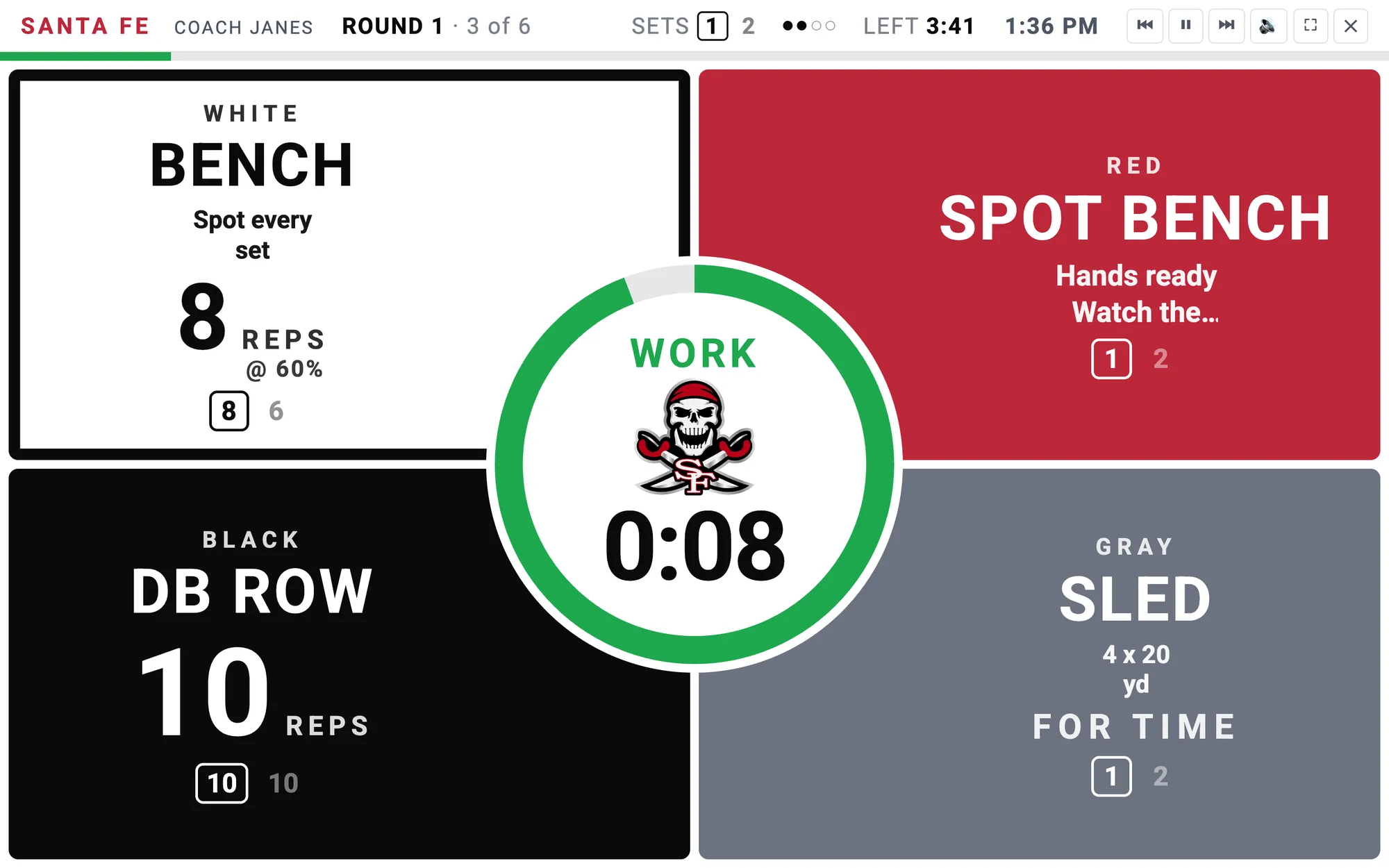
  2. A large display shows the current movement, the station rotation, and a countdown that athletes can read from across the room.
  3. Visual cues change as a segment nears its end, and the app plays audio cues and the whistle at the exact transition.
  4. Work and rest transitions, rotations, and repetitions advance automatically, so nobody has to watch a stopwatch.

My role

I observed the coaching workflow, translated it into product requirements, designed the user experience, used AI-assisted development to build it, tested it against real sessions, and refined it based on the coach’s feedback.

What this demonstrates

Workflow analysis, identifying the right work to automate, frontline-user empathy, rapid iteration, and using technology to free people to focus on work that requires human judgment.

  • Workflow analysis: the insight was not “build a timer.” It was noticing which parts of a session were repetitive coordination and which parts actually required a coach.
  • Choosing what to automate: the clock, rotations, cues, and whistle were automated. Form, technique, encouragement, and safety were deliberately left to the human.
  • Frontline, real-time design: the display has to be readable across a loud room by athletes mid-set, with no one free to tap a screen.
  • Rapid iteration: the app was refined against real sessions and the coach’s feedback, not against a document.
Santa Fe Weight Room Coach live board: four color-coded stations around a central work timer
Santa Fe Weight Room Coach workout builder: a plan day with warm-up, setup, a timed round of lifts, and cool down laid out on a timeline
In use
Daily
Supports
Five classes, the football team, and the weightlifting teams
Status
In daily use. The link above opens a separate demo copy, so visitors never touch the coach’s version.